Jump to section:
-
- Why Your Google Business Profile Is Not Ranking (And How to Fix It)
- Why Google Business Profile Optimization Matters
- How Google Ranks Google Business Profiles
- Why Your Google Business Profile Is Not Ranking
- Google Business Profile Optimization Checklist (What Actually Matters)
- Website Signals That Support Google Business Profile Rankings
- Citations and Local Authority
- Service-Area Businesses: Special Considerations
- Tracking What Actually Matters
- DIY vs Professional Google Business Profile Optimization
- Why Most Businesses Fail at Google Business Profile Optimization
- Final Google Business Profile Optimization Checklist
- Final Thoughts
Why Your Google Business Profile Is Not Ranking (And How to Fix It)
If your business is not showing up in Google Maps or the local results, you are losing customers to competitors who are visible when it matters most. For most local businesses, the Google Business Profile is the primary driver of calls, directions, and high-intent leads.
This guide is a practical Google Business Profile optimization checklist designed for business owners. It explains why listings fail to rank and exactly what needs to be fixed to improve visibility, engagement, and lead generation.
Why Google Business Profile Optimization Matters
Before a customer visits your website or contacts your business, they usually see your Google listing first. If your profile is incomplete, misconfigured, or inactive, Google will favor competitors who provide clearer, more trustworthy signals.
Research consistently shows that the majority of local search clicks go to businesses appearing in Google Maps results. Visibility here is not optional if local leads matter to your business.
How Google Ranks Google Business Profiles
Google officially states that local rankings are based on three factors:
- Relevance – how well your business matches the search
- Distance – proximity to the searcher or specified location
- Prominence – how trusted and established your business appears online
These factors are influenced by dozens of signals across your Google Business Profile, website, reviews, and online presence. When those signals are aligned, rankings improve. When they conflict, visibility drops.
Why Your Google Business Profile Is Not Ranking
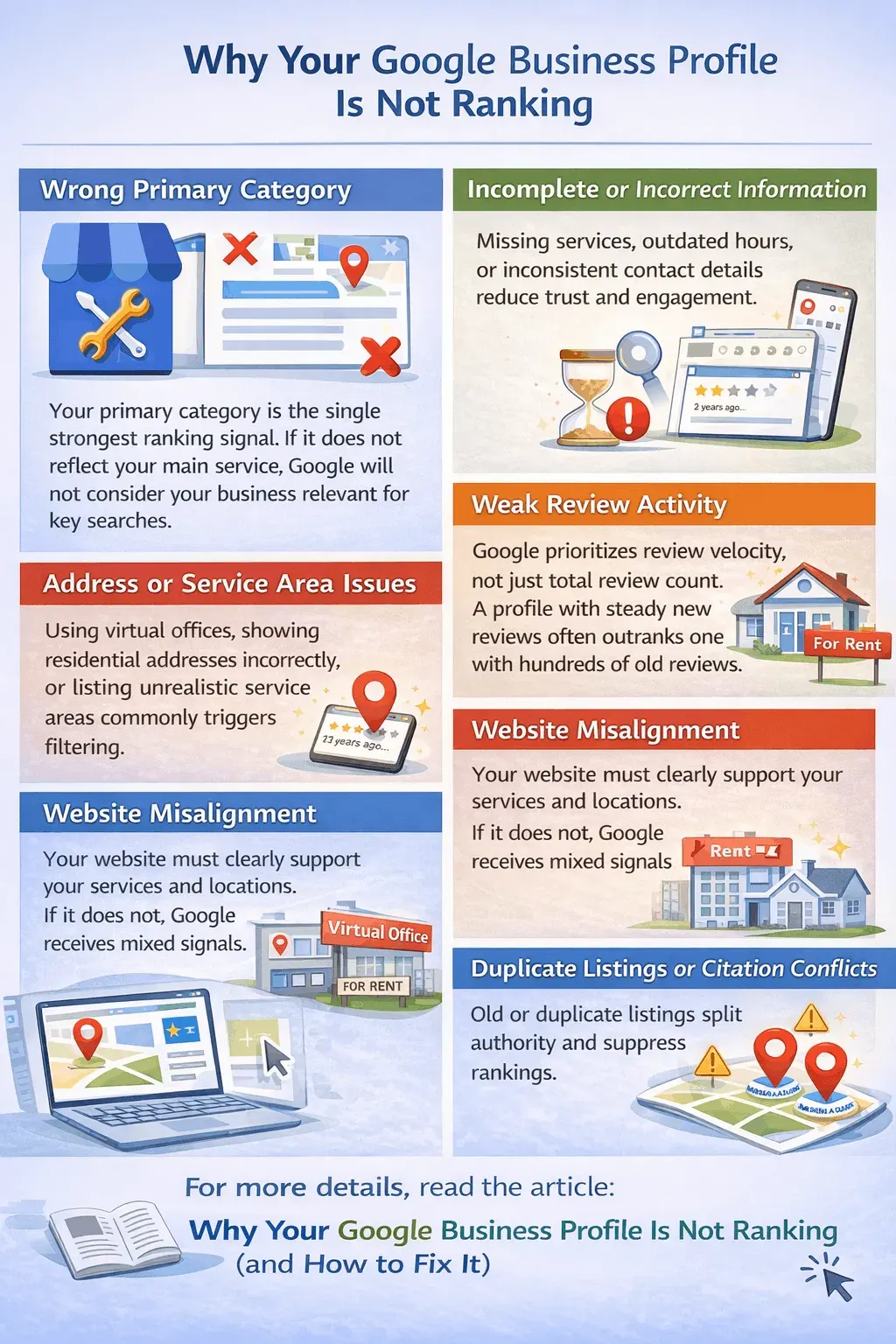
Wrong Primary Category
Your primary category is the single strongest ranking signal. If it does not reflect your main service, Google will not consider your business relevant for key searches.
Incomplete or Incorrect Information
Missing services, outdated hours, or inconsistent contact details reduce trust and engagement.
Weak Review Activity
Google prioritizes review velocity, not just total review count. A profile with steady new reviews often outranks one with hundreds of old reviews.
Address or Service Area Issues
Using virtual offices, showing residential addresses incorrectly, or listing unrealistic service areas commonly triggers filtering.
Website Misalignment
Your website must clearly support your services and locations. If it does not, Google receives mixed signals.
Duplicate Listings or Citation Conflicts
Old or duplicate listings split authority and suppress rankings.
For more details, read the article: Why Your Google Business Profile Is Not Ranking (and How to Fix It)
Google Business Profile Optimization Checklist (What Actually Matters)
1. Core Business Information
| Item | Importance |
|---|---|
| Correct business name (no keywords) | Very High |
| Primary category | Very High |
| Address or service area setup | High |
| Phone number consistency | High |
| Website URL | High |
| Business hours | Medium |
Your business name must match real-world branding exactly. Keyword stuffing here is one of the fastest ways to lose visibility or trigger a suspension.
2. Category Optimization
Choose your primary category based on what you actually sell, not what sounds attractive.
- Analyze top competitors in Google Maps
- Identify the most common primary category
- Use secondary categories sparingly
Changing the primary category alone can significantly affect rankings.
3. Business Description and Services
Your business description should clearly explain:
- What services you provide
- Who you serve
- Where you operate
Avoid promotions, excessive keywords, or marketing slogans.
The Services section is one of the most underused relevance signals. Fully populate it with accurate service names and short descriptions.
4. Photos, Videos, and Engagement
Google favors active, legitimate businesses.
Best practices:
- Upload new photos monthly
- Use real images from your location or jobs
- Add short videos when possible
- Avoid stock photography
Profiles with fresh visuals consistently receive more engagement and conversions.
5. Google Posts
Google Posts do not directly rank keywords, but they improve:
- Click-through rate
- User engagement
- Profile freshness
Posting once or twice per week with a clear call-to-action is sufficient.
Reviews and Reputation Optimization
Reviews are one of the strongest ranking and trust signals.
Google evaluates:
- Review velocity
- Review consistency
- Sentiment
- Text relevance
- Owner responses
Best Practices
- Ask for reviews consistently
- Respond to every review
- Handle negative reviews professionally
- Monitor and report spam
Responding to reviews improves trust and reinforces relevance.
For more details on how we manage and optimize reviews, explore our Online Reputation Management service.
Website Signals That Support Google Business Profile Rankings
Your Google Business Profile does not rank on its own.
Your website should clearly confirm:
- Services offered
- Geographic relevance
- Business legitimacy
At minimum, your site should include clear service pages, consistent name/address/phone information, and a mobile-friendly design.
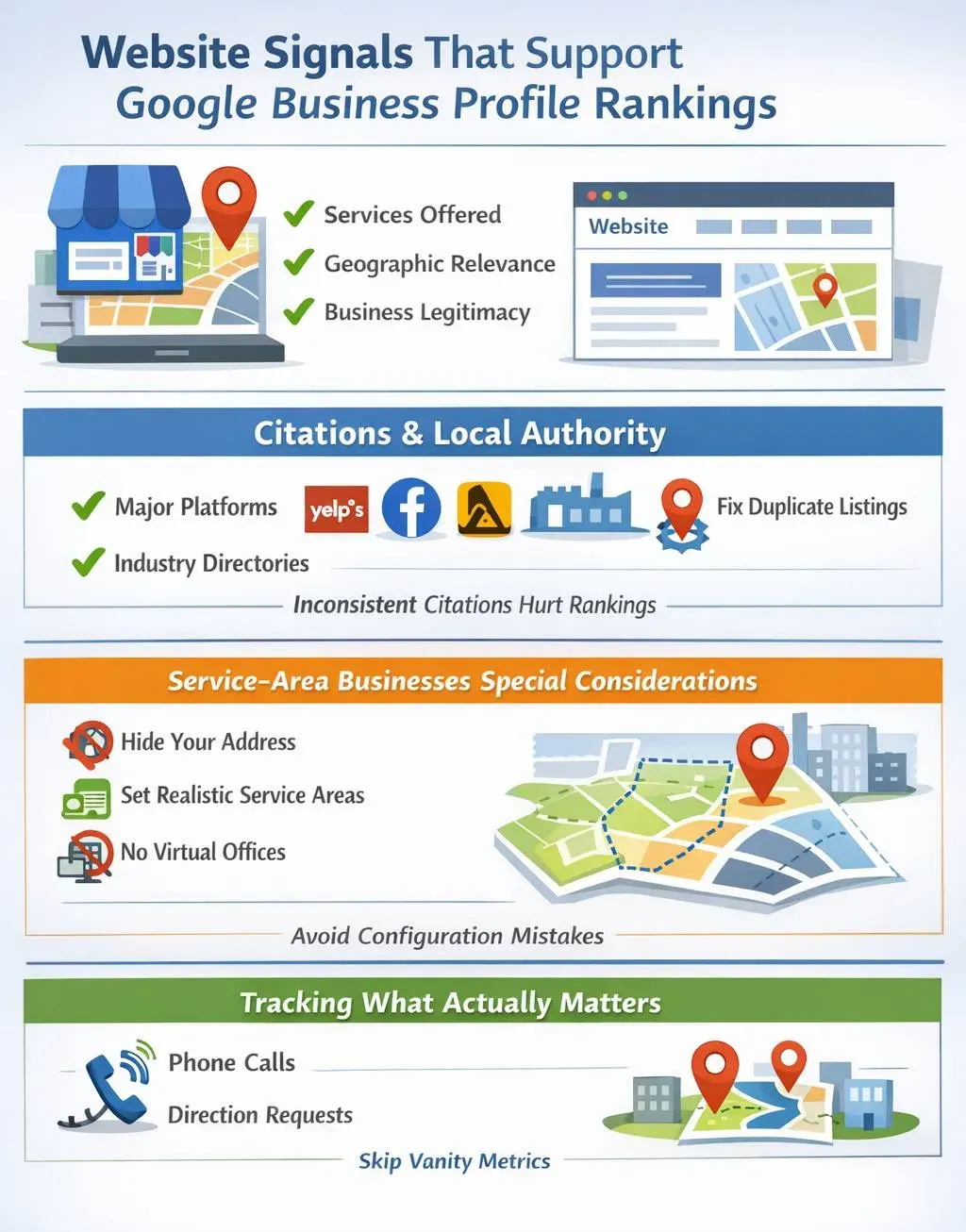
Citations and Local Authority
Citations still matter, but only when they are accurate and consistent.
Focus on:
- Major platforms
- Industry-relevant directories
- Cleaning up old or duplicate listings
Inconsistent local citations are a common cause of ranking instability.
Service-Area Businesses: Special Considerations
Service-area businesses are held to stricter standards.
Best practices:
- Hide your address if customers do not visit you
- Use realistic service areas
- Align service areas with website city pages
- Avoid virtual offices
Most service-area ranking issues come from configuration mistakes, not competition.
Tracking What Actually Matters
Ignore vanity metrics.
Focus on:
- Phone calls
- Direction requests
- Website visits
- Review growth
Use UTM tracking to measure Google Business Profile traffic accurately.
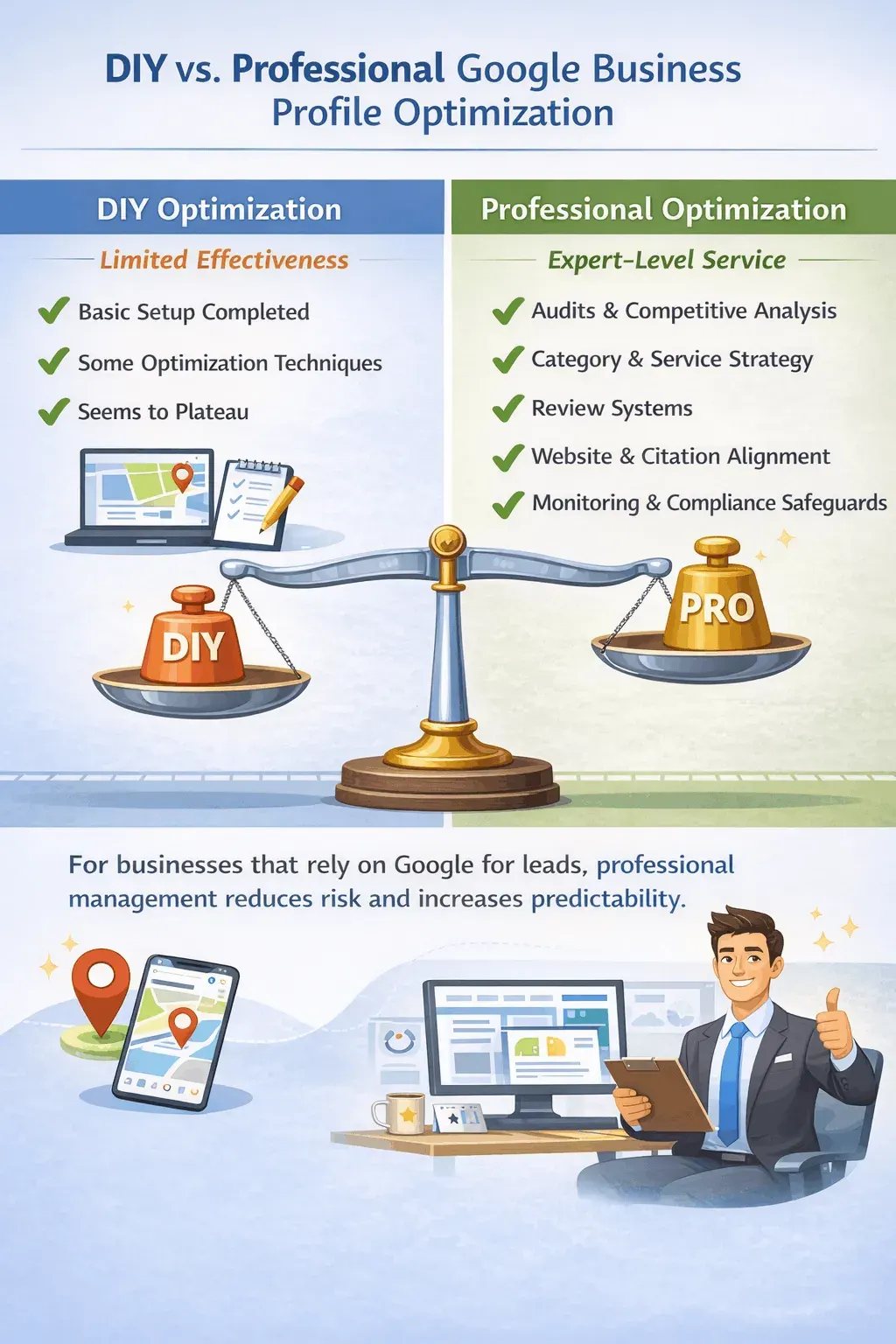
DIY vs Professional Google Business Profile Optimization
DIY optimization works only up to a point.
Professional Google Business Profile optimization typically includes:
- Audits and competitive analysis
- Category and service strategy
- Review systems
- Website and citation alignment
- Monitoring and compliance safeguards
For businesses that rely on Google for leads, professional management reduces risk and increases predictability.
Why Most Businesses Fail at Google Business Profile Optimization
- Treating GBP as a one-time setup
- Over-optimizing risky elements
- Ignoring reviews
- Failing to monitor changes
- Neglecting website alignment
Google rewards consistency, clarity, and legitimacy.
Final Google Business Profile Optimization Checklist
- Correct primary category
- Accurate business information
- Fully populated services
- Consistent review velocity
- Active engagement
- Website alignment
- Citation consistency
- Ongoing monitoring
How All The Way Up Media Helps Businesses Rank Locally
All The Way Up Media treats Google Business Profile optimization as a system, not a task.
Our approach includes:
- Strategic setup
- Continuous optimization
- Review and engagement management
- Website and citation alignment
- Compliance-first execution
If you want to turn your Google Business Profile into a reliable lead source, learn more here:
Google Business Profile Optimization Services
Final Thoughts
Google Business Profile optimization is no longer optional for local businesses.
This checklist gives you the framework. Execution determines the results.